Command line
Your workspace, from the terminal.
Sites, runtimes, project tasks, and sharing, from the command line you already use.
pxm --versionPXM CLI 0.2.0pxm site add "$HOME/Projects/shop" --name shop# links the folder as shoppxm site php shop 8.4# pins PHP 8.4 for this sitepxm php artisan test# runs through the pinned PHP, I/O and exit status preservedpxm task start shop queue# starts the queue worker as a project taskpxm share start shop# opens a Cloudflare quick link for a running site
Commands shown as typed. Output abbreviated.
- runtime shims, php to cpx
- 8
- on management commands
- --json
- shells: zsh, bash, fish
- 3
- accounts for passthrough
- 0
01Runtime passthrough
The right PHP, every time you type php.
Eight shims sit on your path: php, node, npm, npx, composer, corepack, laravel, and cpx. Each one hands off to pxm, which picks the version the current project pinned, or your workspace default.
Passthrough uses execve, so terminal input and output, signals, and exit codes behave exactly as they would with the tool itself. It works without an account, Keychain access, or a running app once discovery has run. PXM installs no shell hooks, so your prompt stays yours.
pxm php artisan test
pxm composer install
pxm npm run dev

pxm which php
# prints the executable, its version, and where the pin came from
The priority is an explicit PXM site pin, then the nearest project version file, then the PXM default. In the same directory .nvmrc wins over .node-version, and PHP honors .php-version.
02Set up once
One line in your shell. Or let the app do it.
Open PXM and choose Set Up Terminal for a reviewed change to zsh, bash, or fish. Prefer to do it yourself? Add one line to your shell profile.
The pxm binary ships inside the app at Contents/MacOS/pxm-cli. On launch, PXM links it at ~/Library/Application Support/PXM/bin/pxm, next to the shims folder. Open a new terminal window and check that pxm answers.
export PATH="$HOME/Library/Application Support/PXM/shims:$HOME/Library/Application Support/PXM/bin:$PATH"pxm --version
PXM CLI 0.2.0- Needs the app running.
- Management commands for sites, runtimes, services, tasks, shares, capture, and mcp talk to the running app over its private local socket, so open PXM first.
- Works with the app closed.
- Runtime passthrough, such as pxm php, pxm composer, pxm npm, and the shims, once discovery has run. pxm which never checks a license.
03Reference
Every command,
grouped the way you work.
Management commands need PXM running. Names or full IDs identify sites and services. Add --json to any management command for structured output. Pro groups are marked.
Sites
Freesite secure turns on local HTTPS for a stopped site and does not change system trust. site php and site node accept a version or default, which clears the pin. site export writes a portable pxm.json; site import applies site settings only. Proxies forward HTTP and WebSockets to loopback targets only.
pxm sites [--json]
pxm site add PATH [--name NAME]
pxm site park PATH
pxm site proxy LOOPBACK_URL --name NAME
pxm site start|stop|open|url|logs SITE
pxm site php|node SITE VERSION|default
pxm site inspect|remove SITE
pxm site secure|unsecure SITE
pxm site export|import SITE [--file PATH]
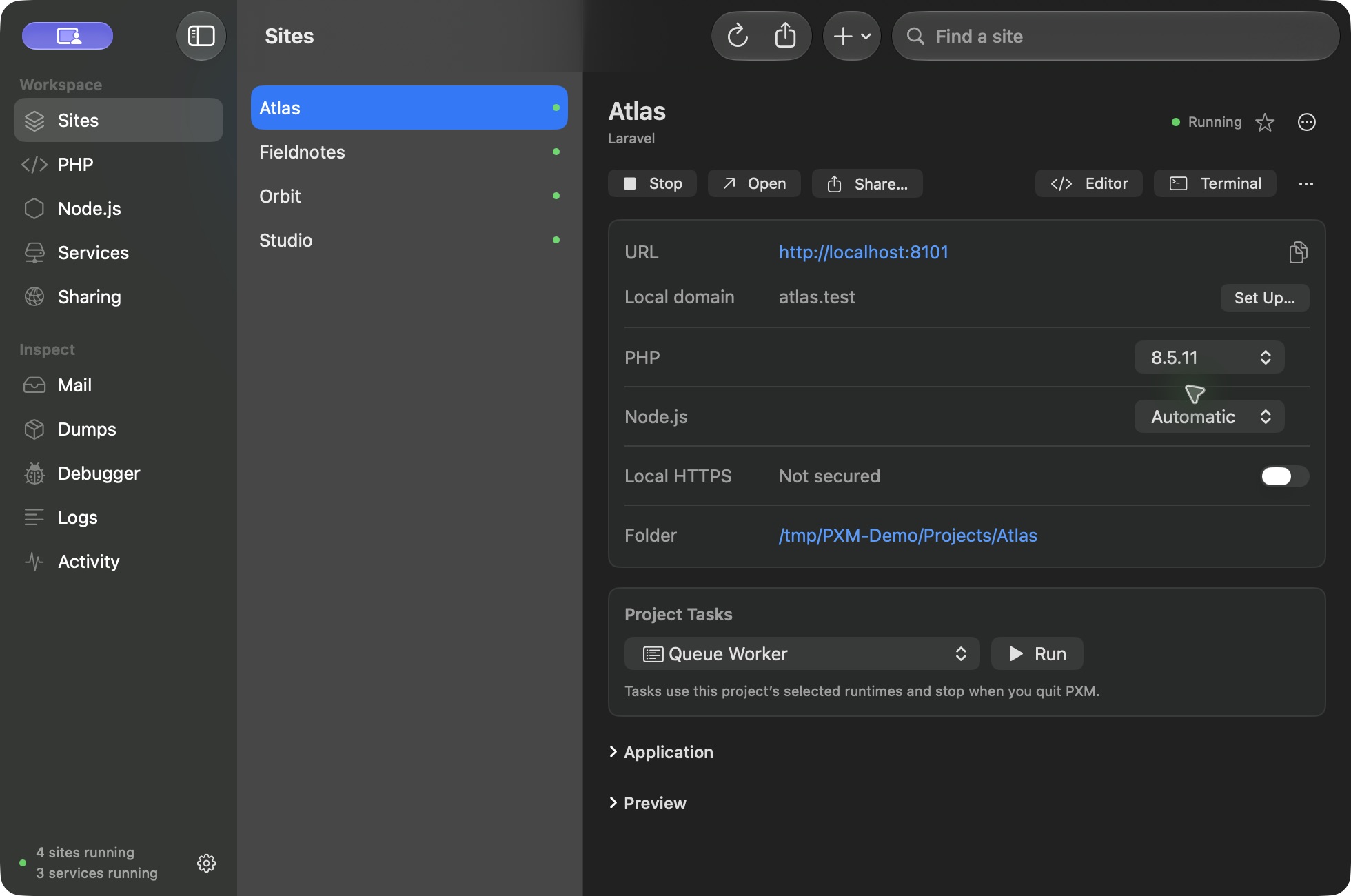
pxm sites
pxm site add "$HOME/Projects/shop" --name shop
pxm site park "$HOME/Projects"
pxm site proxy http://127.0.0.1:3000 --name frontend
pxm site php shop 8.4
pxm site node shop 24
pxm site start shop
pxm site open shop
pxm site logs shop
pxm site secure shop
pxm site export shop --file shop.pxm.json
Runtimes
FreeInstalls come from PXM's signed PHP catalog and official, checksum-verified Node releases. Published PHP versions are 8.2, 8.3, 8.4, and 8.5. Catalog checks never install or switch a runtime. pxm which prints the executable, its version, and where the pin came from, and never checks a license.
pxm runtimes [--json]
pxm runtime default php|node VERSION
pxm runtime install|remove php|node VERSION
pxm runtime composer
pxm php|node|npm|npx|composer|corepack|laravel|cpx [ARGUMENTS...]
pxm which php|node|npm|npx|composer|corepack|laravel|cpx
pxm runtimes
pxm runtime install php 8.4
pxm runtime default php 8.4.24
pxm runtime install node 24.5.0
pxm runtime composer
pxm php artisan test
pxm composer install
pxm npm run dev
pxm which php
Project tasks
FreeKinds are queue, scheduler, reverb, frontend, composer-install, and npm-install. Only frontend and reverb accept --port. Tasks use the site's pinned runtimes and stop when you quit PXM.
pxm tasks [--site SITE] [--json]
pxm task start SITE KIND [--port PORT]
pxm task stop|logs SITE KIND
pxm tasks --site shop
pxm task start shop queue
pxm task start shop frontend --port 18080
pxm task logs shop queue
pxm task stop shop queue
Sharing
Freeshare start never starts a stopped site, and no sharing command changes DNS. Saved connectors use routes already configured in PXM; --accept-dashboard acknowledges a dashboard-managed connector's remote routing.
pxm shares [--site SITE] [--json]
pxm share start SITE
pxm share start-tunnel TUNNEL [--accept-dashboard]
pxm share stop SESSION_ID
pxm share stop-site SITE
pxm shares
pxm share start shop
pxm share start-tunnel my-tunnel --accept-dashboard
pxm share stop SESSION_ID
pxm share stop-site shop
Services
ProKIND names one of the 12 engines. service env prints the connection settings as .env lines. If your license lapses, the recovery commands still work without one: pxm services, and pxm service stop, logs, env, and remove.
pxm services [--json]
pxm service add KIND [--name NAME] [--port PORT] [--version VERSION]
pxm service install KIND [--version VERSION]
pxm service start|stop|restart|logs|env SERVICE
pxm service clone SERVICE [--name NAME]
pxm service remove SERVICE
pxm service autostart SERVICE on|off
pxm services
pxm service add redis --name cache --port 16379
pxm service install redis --version 8.2
pxm service start cache
pxm service env cache
pxm service clone cache --name cache-copy
pxm service autostart cache on
pxm service logs cache
pxm service remove cache-copy
Debug and coverage
Propxm debug runs a PHP command with Xdebug enabled. pxm coverage runs it in coverage mode. Everything after the command goes to PHP unchanged, and the instrumentation applies to the launched process only.
pxm debug [PHP_ARGUMENTS...]
pxm coverage [PHP_ARGUMENTS...]
pxm debug artisan test
pxm coverage ./vendor/bin/pest --coverage
Capture
ProOnly start accepts --site. Capture needs the opt-in PHP bridge in the project. Captured dumps, queries, jobs, and HTTP events are viewed in PXM.
pxm capture status|start|pause|resume|stop [--site SITE] [--json]
pxm capture status
pxm capture start --site shop
pxm capture pause
pxm capture resume
pxm capture stop
MCP
ProServes PXM's MCP server on standard input and output for your coding agent. The app must be running. Connect your agent.
pxm mcp
pxm mcp
04How it fits together
Terminal talks to the app.
Site, task, share, runtime, and service commands go through PXM's local control socket, so what you see in the window and in Terminal is always the same workspace.
Both ends verify the peer's user ID. Removing a service keeps its data; unlinking a site keeps project files. List commands never start tasks or share sites.
The same site, the same controls, in the app and at the prompt.
05For scripts and agents
Machine-readable,
agent-ready.
Every list and status command can speak JSON, and the same workspace is available to your coding agent through MCP.
Scripts
Add --json to any management command.
Structured output for sites, runtimes, services, tasks, shares, and capture status, ready for jq, CI steps, or your own tools.
pxm sites --json
pxm runtimes --json
pxm services --json
Agents Pro
pxm mcp serves MCP on stdio.
Point your AI client at the pxm-cli binary with the mcp argument and it gets 44 typed tools for the same workspace. No shell-execution tool, ever.
pxm mcp
Questions
Before you open Terminal.
Does pxm need the app running?
Management commands do. Runtime passthrough, such as pxm php or pxm npm, works with the app closed once discovery has run.
Where is pxm installed?
Inside PXM.app at Contents/MacOS/pxm-cli. On launch, the app links it at ~/Library/Application Support/PXM/bin/pxm, next to the shims folder.
Does pxm replace nvm, fnm, or asdf?
No. It adds shims to your path and installs no shell hooks. Nothing is migrated. If another manager also provides php or node, review your PATH order so the one you expect answers first.
Which commands need Pro?
The service commands, the capture commands, pxm debug and pxm coverage, and pxm mcp. Sites, runtimes, tasks, shares, and runtime passthrough are Free. If a license lapses, pxm services and pxm service stop, logs, env, and remove keep working.
Open Terminal. You are already home.
Install PXM, set up your shell, and keep the workflow you have.